
 English
 Română
 Español
 Magyar
At the end you write what you recommended and in how many weeks the patient comes back. You book it on the spot, without looking for a time in the calendar.
Step 1 — Write the recommendations
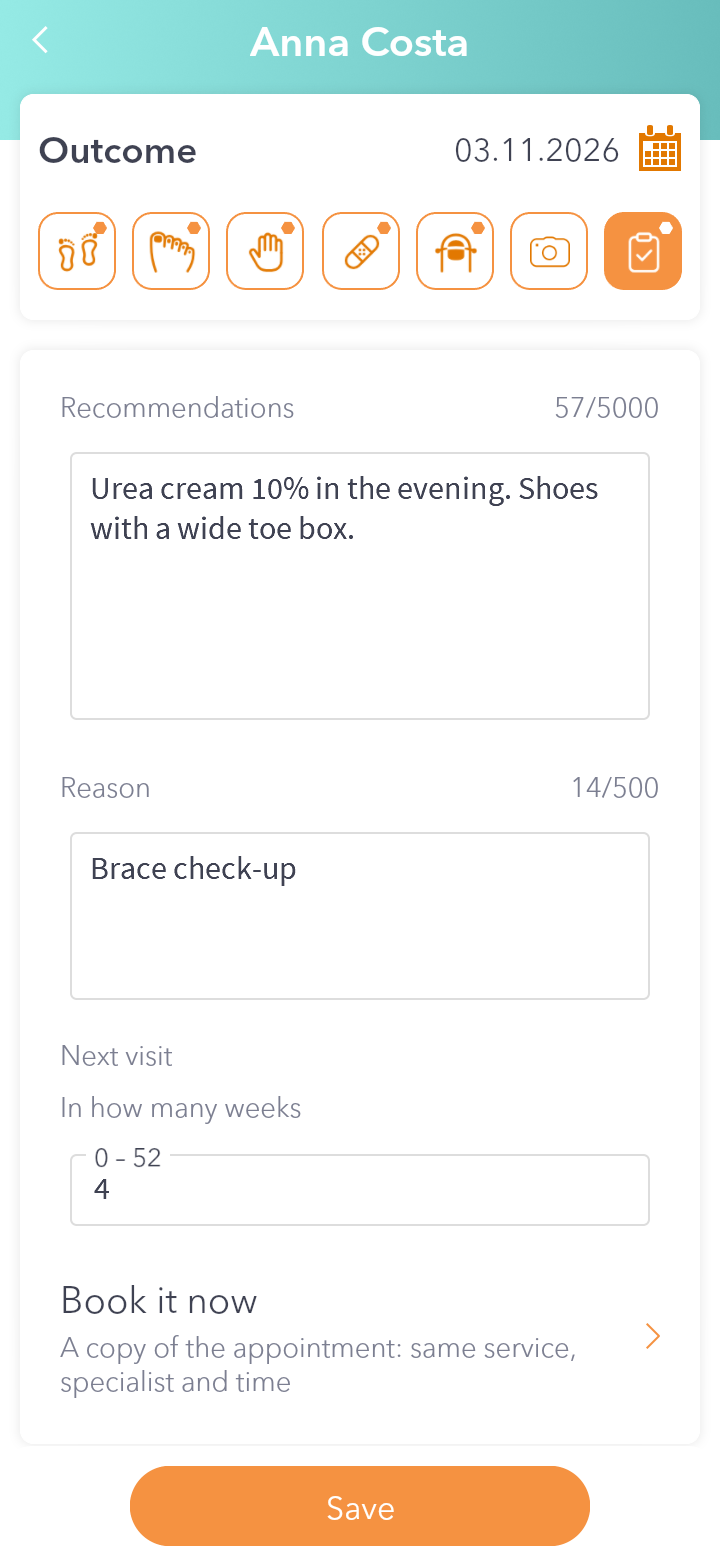
In the visit record tap the last tab, Outcome, and fill in Recommendations.
Step 2 — Choose when they come back
At Next visit write the Reason and, at In how many weeks, a number, for example 4. The Book it now button shows up right away.
Step 3 — Book it
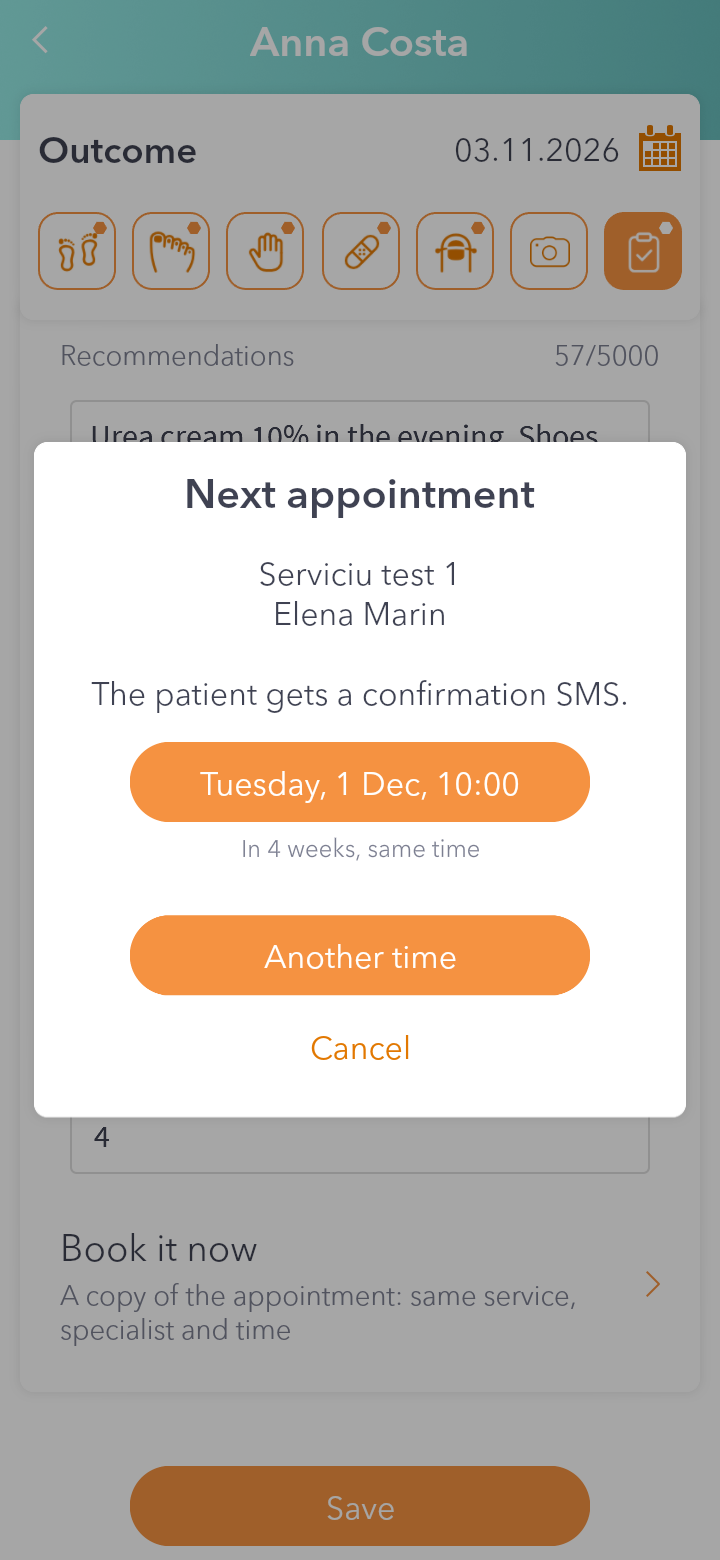
Tap Book it now. The app copies today's appointment (same service, same specialist, same time) and suggests the day that many weeks from now. Tap it to save it, or tap Another time if you want a different time.
Step 4 — Done
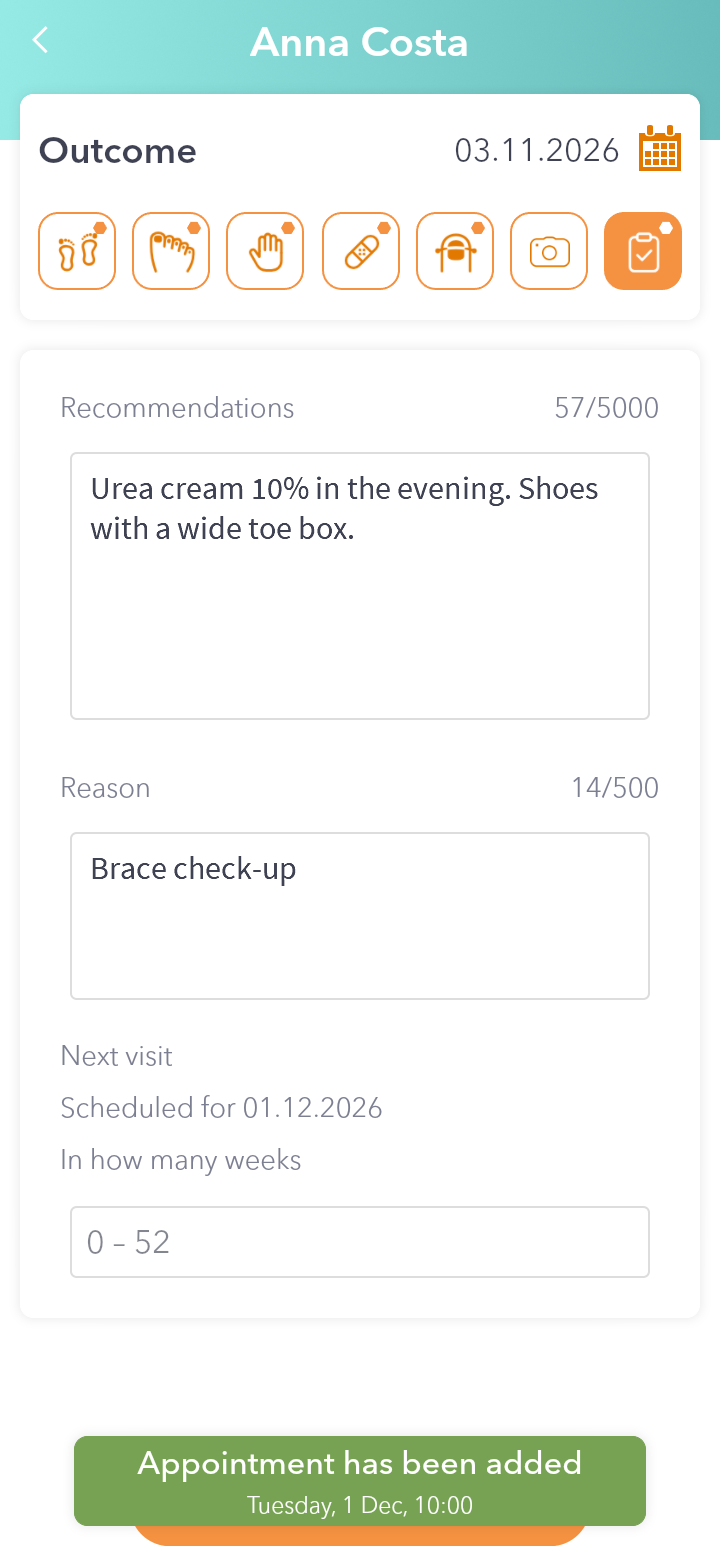
The appointment shows up in the calendar, and the record says Scheduled for with the date. The patient gets a confirmation SMS.
Good to know: if the time is already taken or the specialist isn't working then, the app tells you and shows free slots nearby.