
 English
 Română
 Español
 Magyar
Start from the last record
At the next visit, copy the previous record and change only what's new.
Zen Agenda is the app for podiatrists: at every visit, quickly note what you found and what you did. Tap the spot on the sole or the nail and you're done. No paper, no long notes.
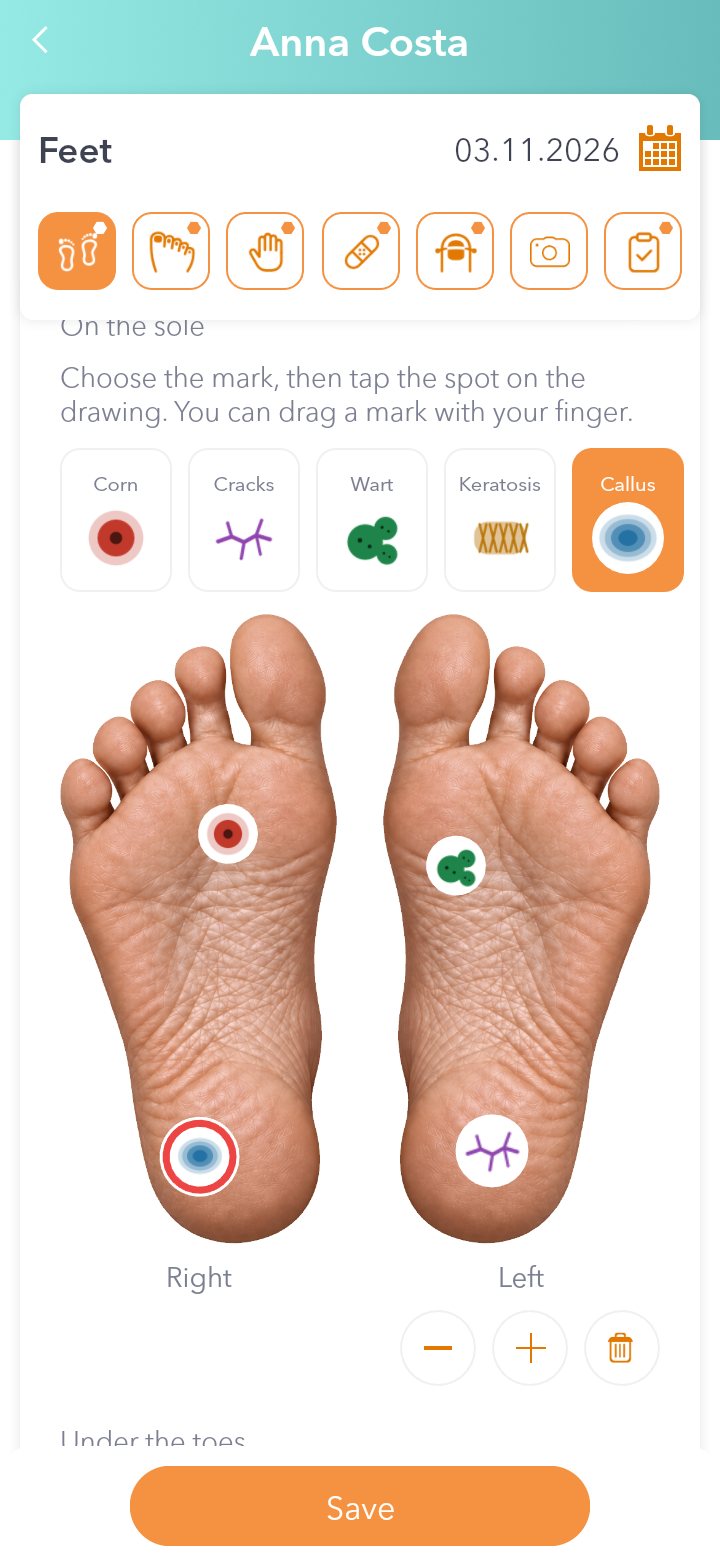
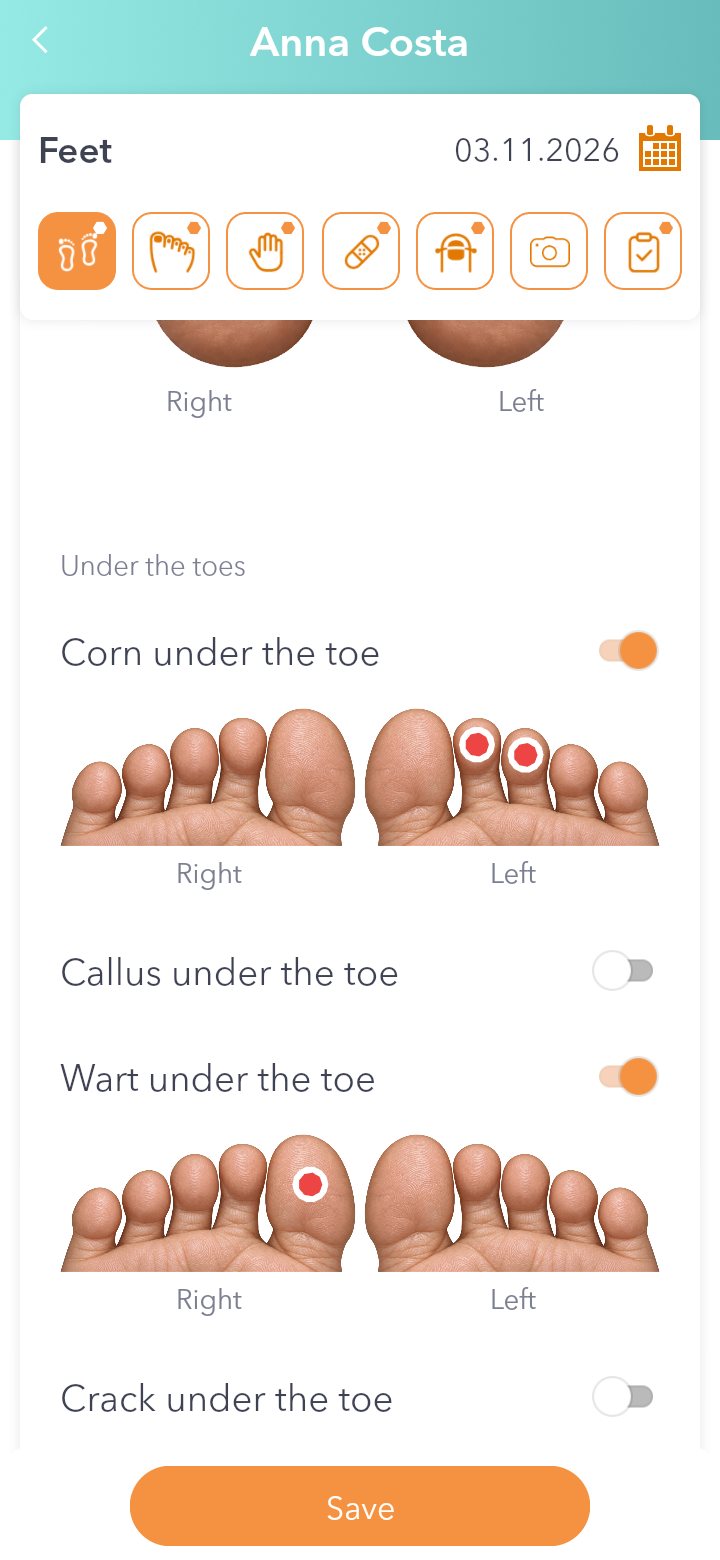
The soles are real photos, right and left. Pick a mark (corn, cracks, wart, keratosis, callus), tap the spot, and drag it with your finger if you need to. Below that you get the toes from underneath, for anything under or between the toes.
Skin condition goes here too: dry skin, hyperhidrosis, diabetic foot, athlete's foot and more.
See the steps: How to record the foot and mark the sole.
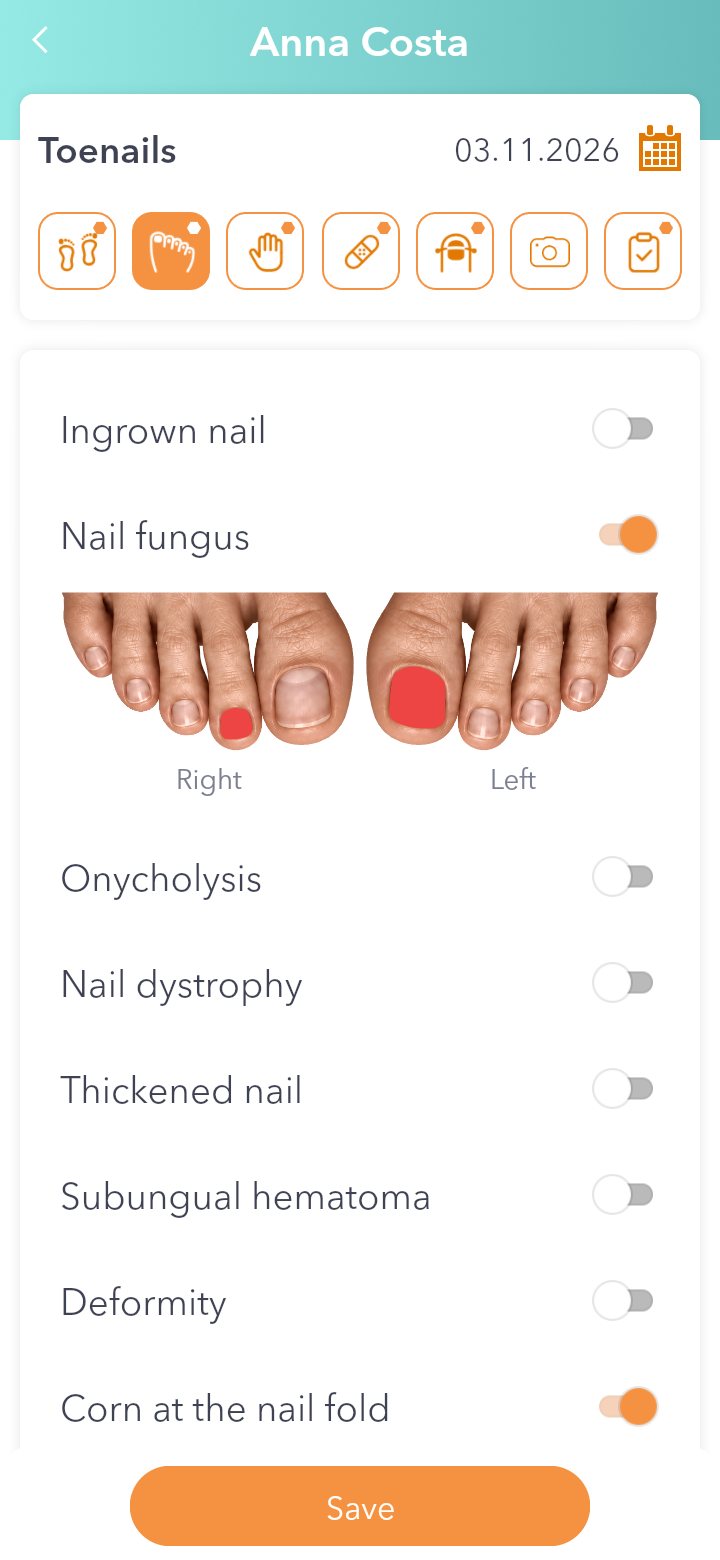
There's one screen for toenails and one for fingernails. Switch on the problem and tap the nail: ingrown nail, nail fungus, onycholysis, thickened nail, subungual hematoma and more.
See the steps: How to record nail problems.
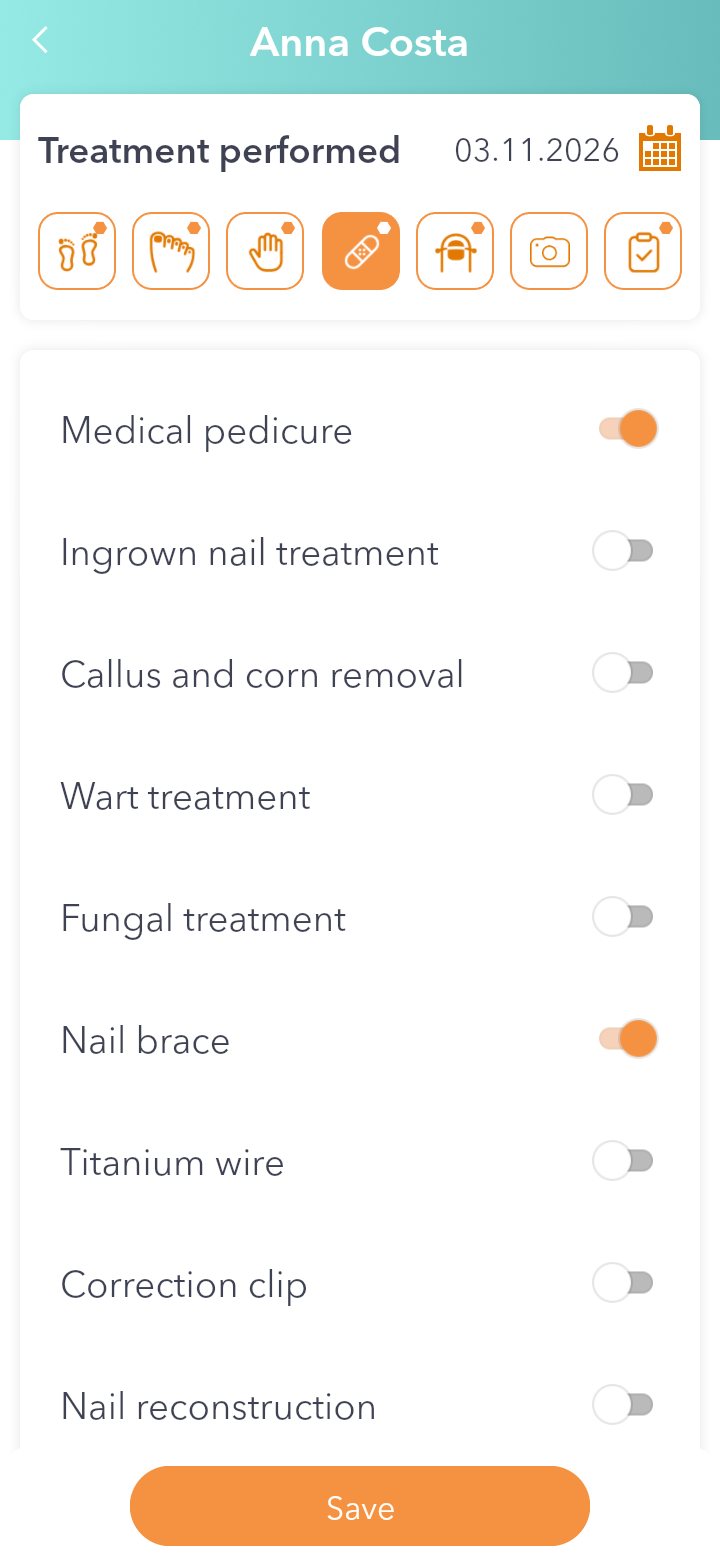
Medical pedicure, ingrown nail, callus and corn removal, warts, fungal treatment, nail brace, titanium wire, correction clip, nail reconstruction, dressing. You also note whether the patient follows the treatment.
See the steps: How to record the treatment and correction systems.
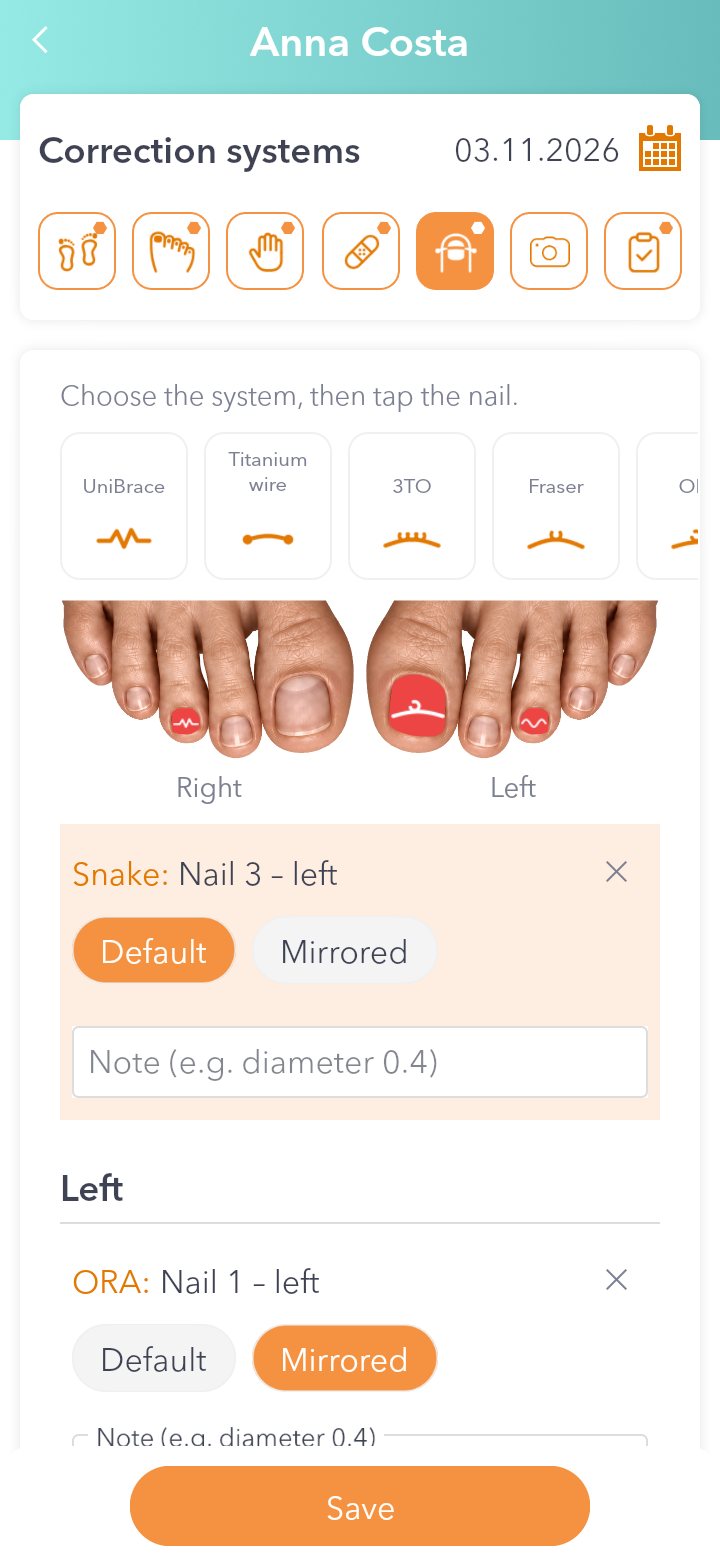
Pick the system and tap the nail: UniBrace, titanium wire, 3TO, Fraser, ORA, Snake, COMBIped, Podofix, B/S, nail prosthesis. You can add details too, like the diameter.
See the steps: How to record the treatment and correction systems.
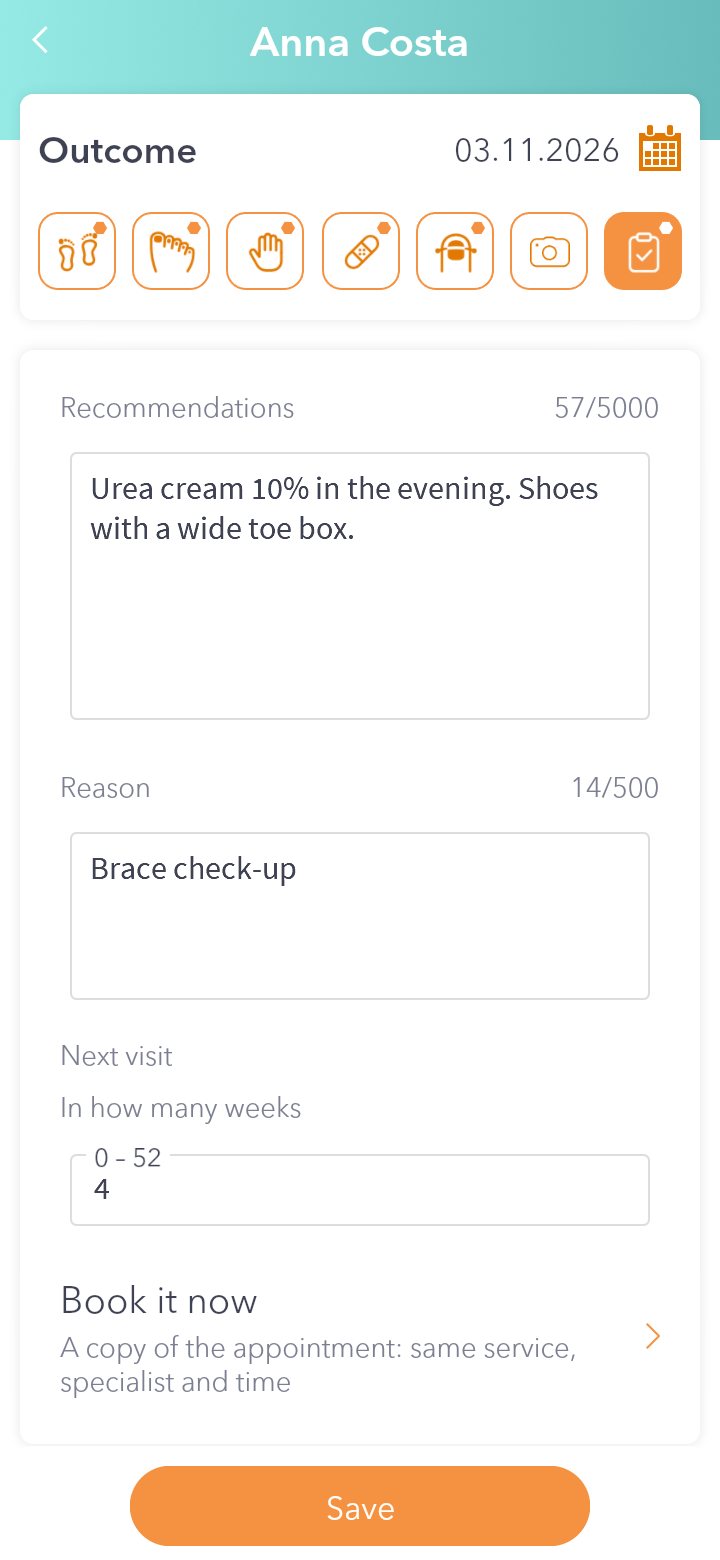
Write your recommendation and how many weeks until the patient comes back. One tap and the appointment is in your calendar, and the patient gets a confirmation SMS.
See the steps: How to book the next visit from the record.
Medical history at the top, visits underneath, with what you found and what you did each time. Open the chart and you see right away where you left off.
See the steps: How to start a podiatry record.
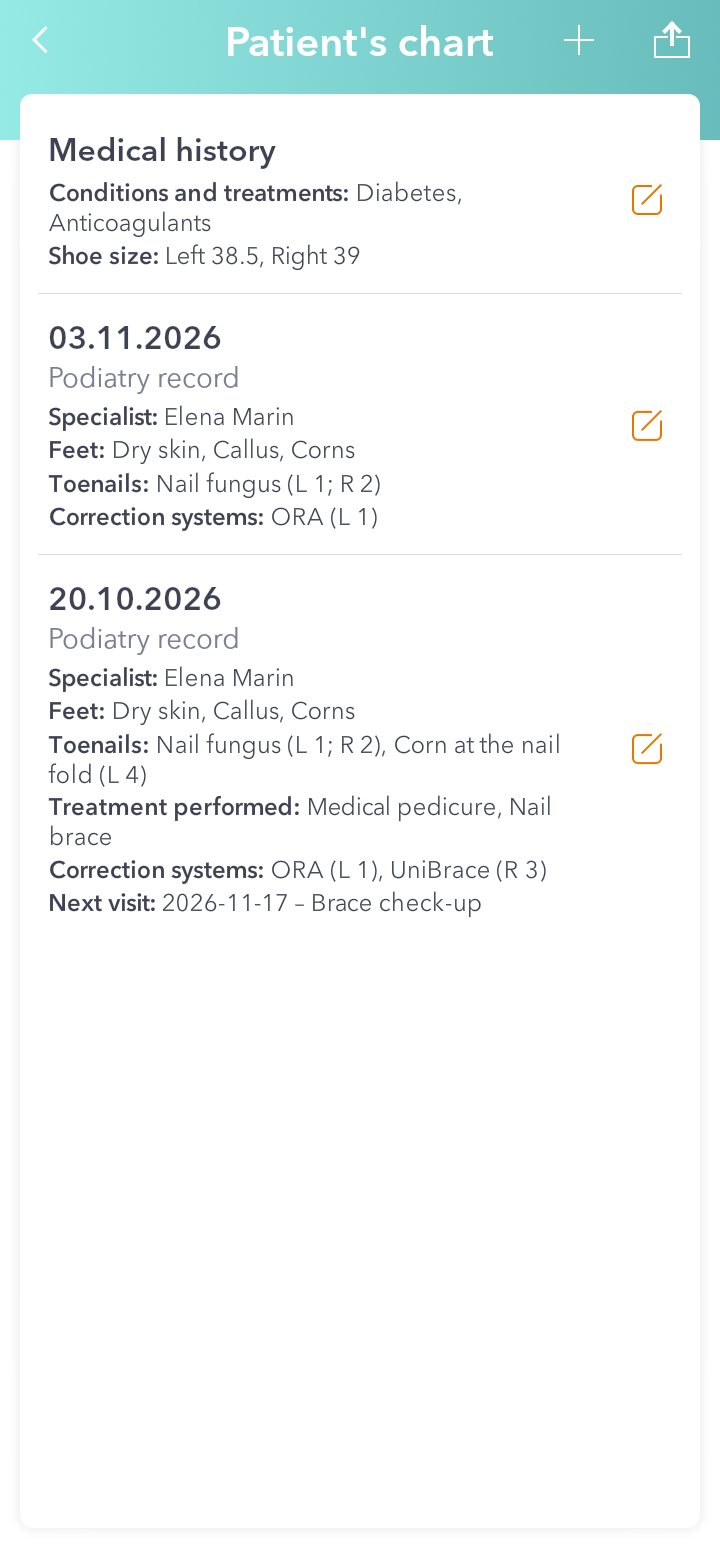
At the next visit, copy the previous record and change only what's new.
Conditions, allergies, treatments and documents stay with the patient, separate from visits. You fill it in once.
Take photos from the app or upload documents. They stay in the visit record.
Open the record as a PDF or email it as an attachment. If it's too big, a link goes out instead, and you give the patient the opening code separately.
You get a free online booking page. In Romania, podiatry practices using Zen Agenda already show on Google's first page for searches like "podiatry" plus their city.
Patients get a reminder before the visit. You can edit the text.
Yes. Zen Agenda has a record built for podiatry, plus booking and SMS reminders. It works on Android, iPhone and Windows.
Skin condition and marks on the sole, the area under the toes, toenails and fingernails, the treatment performed, correction systems, photos and documents, the outcome and the next visit. The patient's medical history is filled in once.
Yes. Pick the system (UniBrace, titanium wire, 3TO, Fraser, ORA, Snake, COMBIped, Podofix, B/S, nail prosthesis) and tap the nail.
Yes. When you book the next visit from the record, the patient gets a confirmation SMS, and can get a reminder before the visit.
Open it as a PDF or email it as an attachment. If it's too big, a link goes out instead, and you give the opening code separately.
Prices are on the pricing page. You can try it free for 14 days, no card needed.
Choose “Podiatry” when you create your account, on the website or in the app. The record is turned on automatically.
Start a free trialThe record is already on for you. Don't see it? Write to us and we'll turn it on.
Write to us →Works on Android, iPhone and Windows, from version 2.0.14.


This is your working record. It isn't an official or certified medical file.
Try Zen Agenda free for 14 days. Choose “Podiatry” when you create your account and the record is ready to go.
→ Start now!