
 English
 Română
 Español
 Magyar
For each nail problem you show exactly which nails it's on, on the feet and on the hands.
Step 1 — Open the nails tab
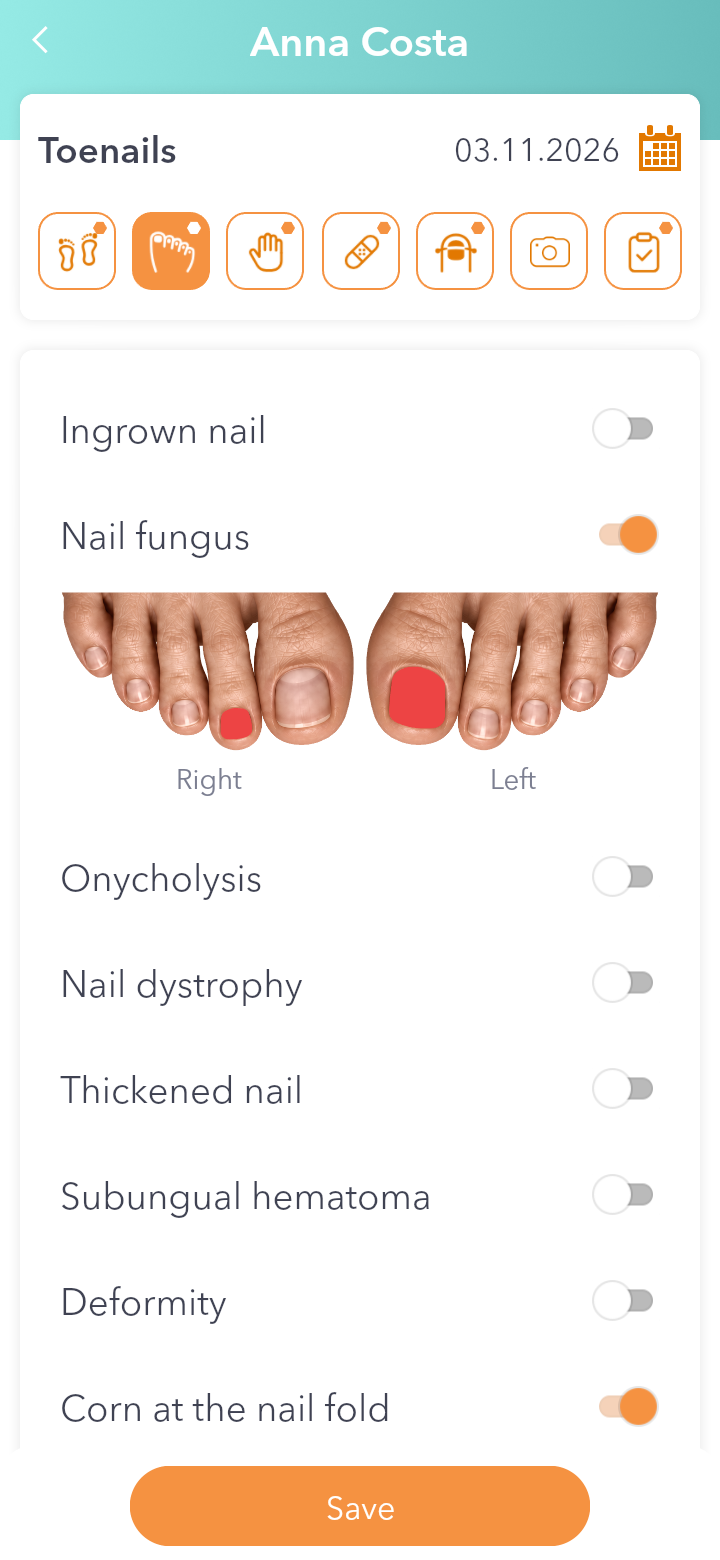
In the visit record tap Toenails. For the hands it's the tab next to it, Fingernails.
Step 2 — Turn on the problem
Turn on the switch for the problem, for example Nail fungus or Ingrown nail. The toes appear under it, right and left.
Step 3 — Tap the nails
Tap each affected nail and it gets coloured. Tap it again to clear it.
Step 4 — Save
You can turn on several problems, each with its own nails. Write anything else in Notes and tap Save.
Good to know: if you turn off a problem's switch, the nails chosen for it are cleared. The app asks you first.