
 English
 Română
 Español
 Magyar
You choose what can go in the calendar: one-to-one appointments, classes with several clients at once, or both. This is the account owner's setting and it applies to everyone.
Step 1 — Open the settings
Open the menu and go to Settings. The Appointment types card is at the very bottom.
Step 2 — Turn on what you use
Appointments is for one client per appointment. Classes is for several clients at once, with a number of places, for example courses or group sessions. The change is saved right away.
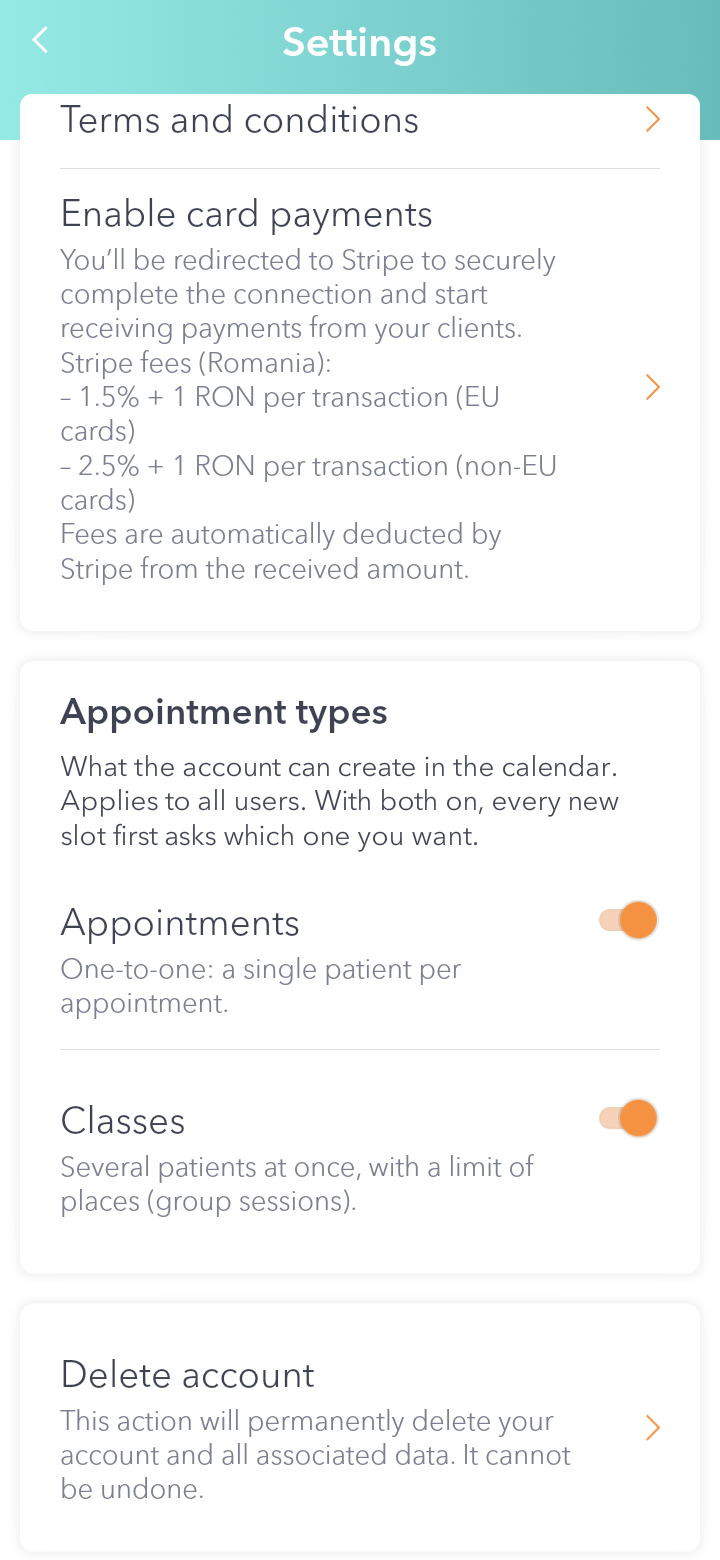
Good to know: at least one type has to stay on. With both on, when you tap a free slot in the calendar you're asked first what you're adding. With only one, it opens straight away.