
 English
 Română
 Español
 Magyar
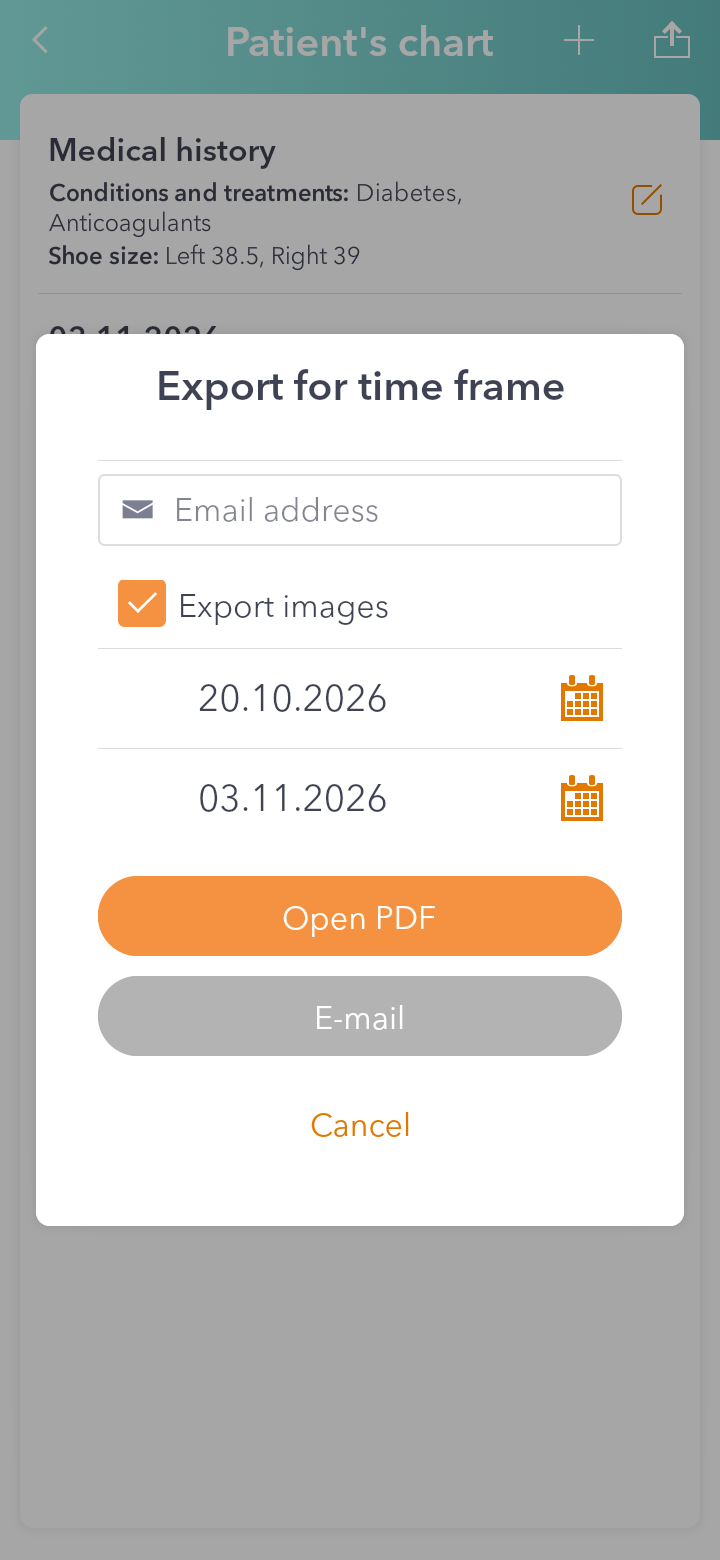
You make a PDF of the patient's records for a period, with the medical history and the podiatry visits. You open it on the spot or send it by email.
Step 1 — Open the export
In the patient's record tap the export icon in the top right, next to the plus.
Step 2 — Choose the period
At Export for time frame pick the first and the last day. If you want the photos too, tick Export images.
Step 3 — Open or send
Open PDF shows you the PDF right away, so you can read or print it. To send it, write the address in Email address and tap E-mail.
Good to know: usually the PDF goes as an attachment. If it's too big (for example, with lots of photos), a link is sent instead, and the app shows you a code to open it. The code isn't in the email: give it separately, by phone or text message, because the record holds medical data.