
 English
 Română
 Español
 Magyar
You fill in the medical history once per patient: conditions, treatments, allergies, shoe size and documents. It sits at the top of the patient's record, above the visits.
Step 1 — Add it from the menu
In the patient's record tap the plus (+) and choose Medical history. The option only shows while the patient doesn't have one yet.
Step 2 — Tick the conditions
At Conditions and treatments turn on what the patient has, for example Diabetes or Anticoagulants.
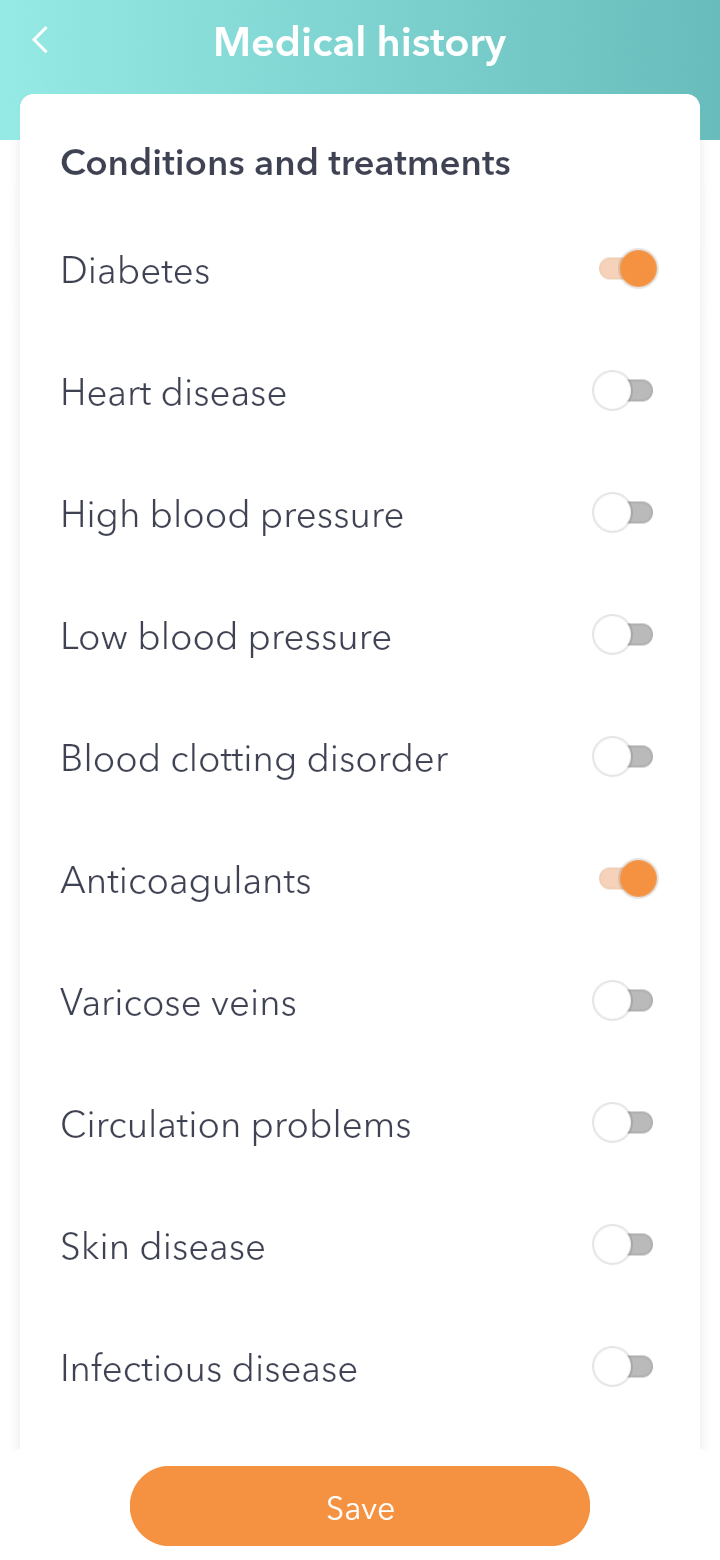
Step 3 — Fill in the rest
Write the Allergies, the Shoe size and anything else worth knowing in Notes. In Documents you attach test results, medical letters or the list of medicines.
Step 4 — Save
Tap Save. In the patient's record the medical history comes first, with a summary (for example the conditions and the shoe size).
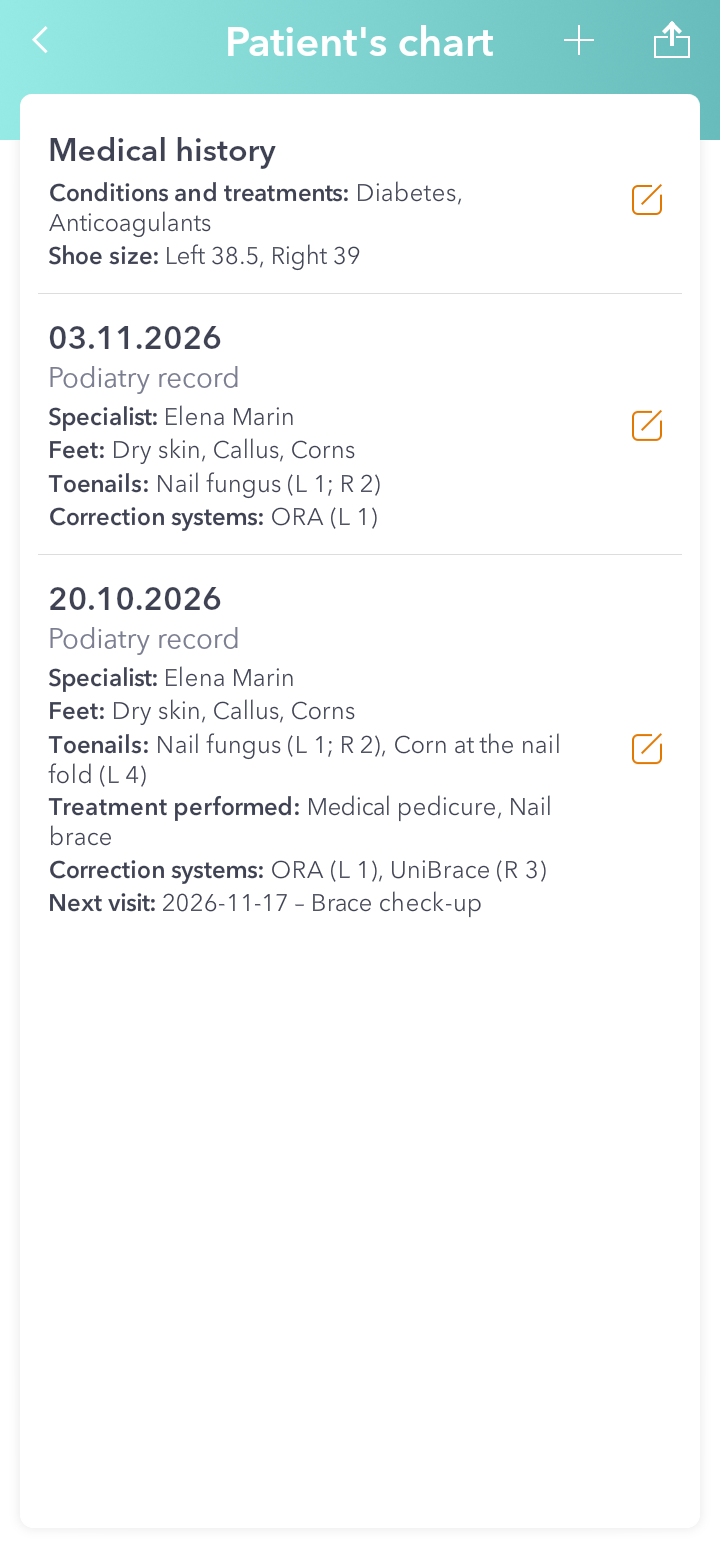
Good to know: you can change it any time by tapping it in the list.