
 English
 Română
 Español
 Magyar
A due-date reminder is a text message the client gets when a date is coming up, for example when their membership expires or they're due for a check-up. You set it up once and it goes out by itself.
Due-date reminders are switched on per account: if you don't see the section on the client, write to us and we'll turn it on.
Step 1 — Open the client
Tap the client and find the Reminder on time section. Tap Add.
Step 2 — Pick the date
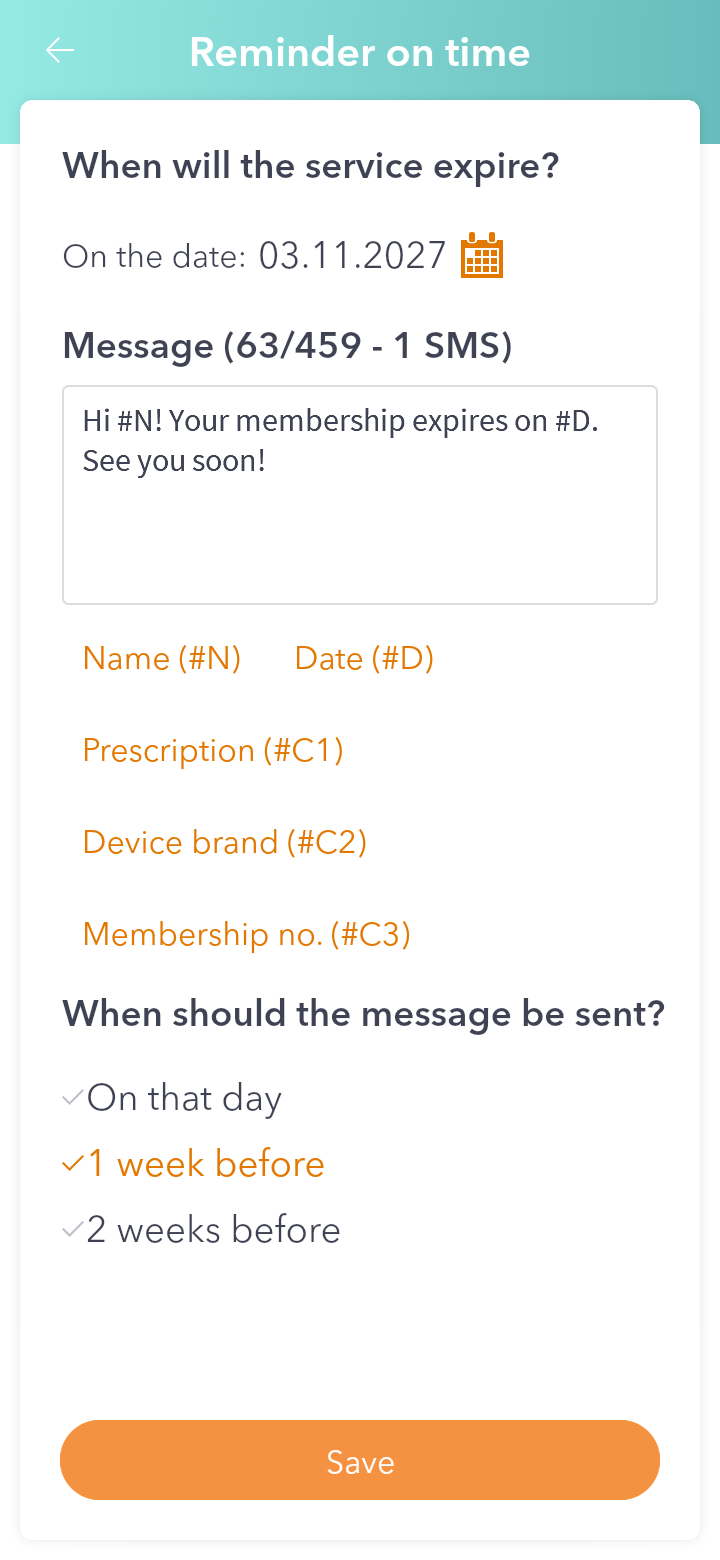
At When will the service expire? tap the calendar icon next to On the date: and pick the day.
Step 3 — Write the message
Write what the client gets in Message. The buttons under the text add codes that are filled in when it's sent: #N becomes the client's name, #D the date, and #C1, #C2… your custom fields, in the order from the account settings. At the top you see how many characters you have and how many SMS the message takes.
Step 4 — Choose when it goes out
At When should the message be sent? choose On that day, 1 week before or 2 weeks before. Then tap Save.
Good to know: the app remembers the last message you wrote, so you don't start from scratch next time.